Measure work. Don't watch people.
logtop gives teams the productivity visibility they need, without screenshots, screen recording, or keystroke surveillance. See where time goes, by app and by project, while the private detail stays on the employee's machine.
Free for two weeks. No card to start. The demo needs no signup at all.
The employee's laptop
raw samples, kept 90 days
- WINDOW TITLESSTOPS HERE
- FULL WEB ADDRESSESSTOPS HERE
- WHICH KEYSSTOPS HERE
- SCREEN CONTENTSSTOPS HERE
TOTALS ONLYevery 15 minutes
app.logtop.org
no column exists for a title
- "4h 20m in Figma"
- "52m on github.com"
- in 09:12, out 17:48
- 4,212 keys, a count
DRAWING 01WHAT LEAVES THE LAPTOP
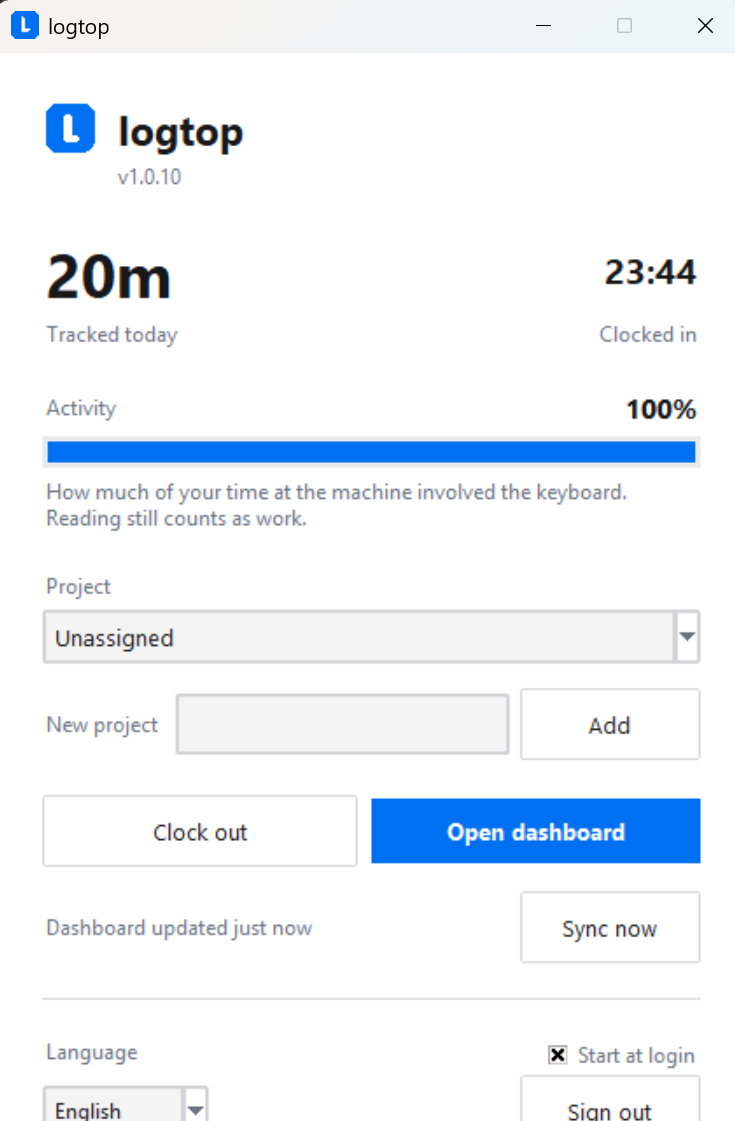
One small window, and a tray icon.
Everything an employee touches is here: how long they have worked today, what it is being booked to, and a button to their own dashboard. It starts with the machine and then stays out of the way.
This is the actual product.
Every screen below is a real one, not a rendering. The dashboard in light and dark, in English and German, and the desktop app that feeds it. Pause on any of them to stop the strip, or open one full size.
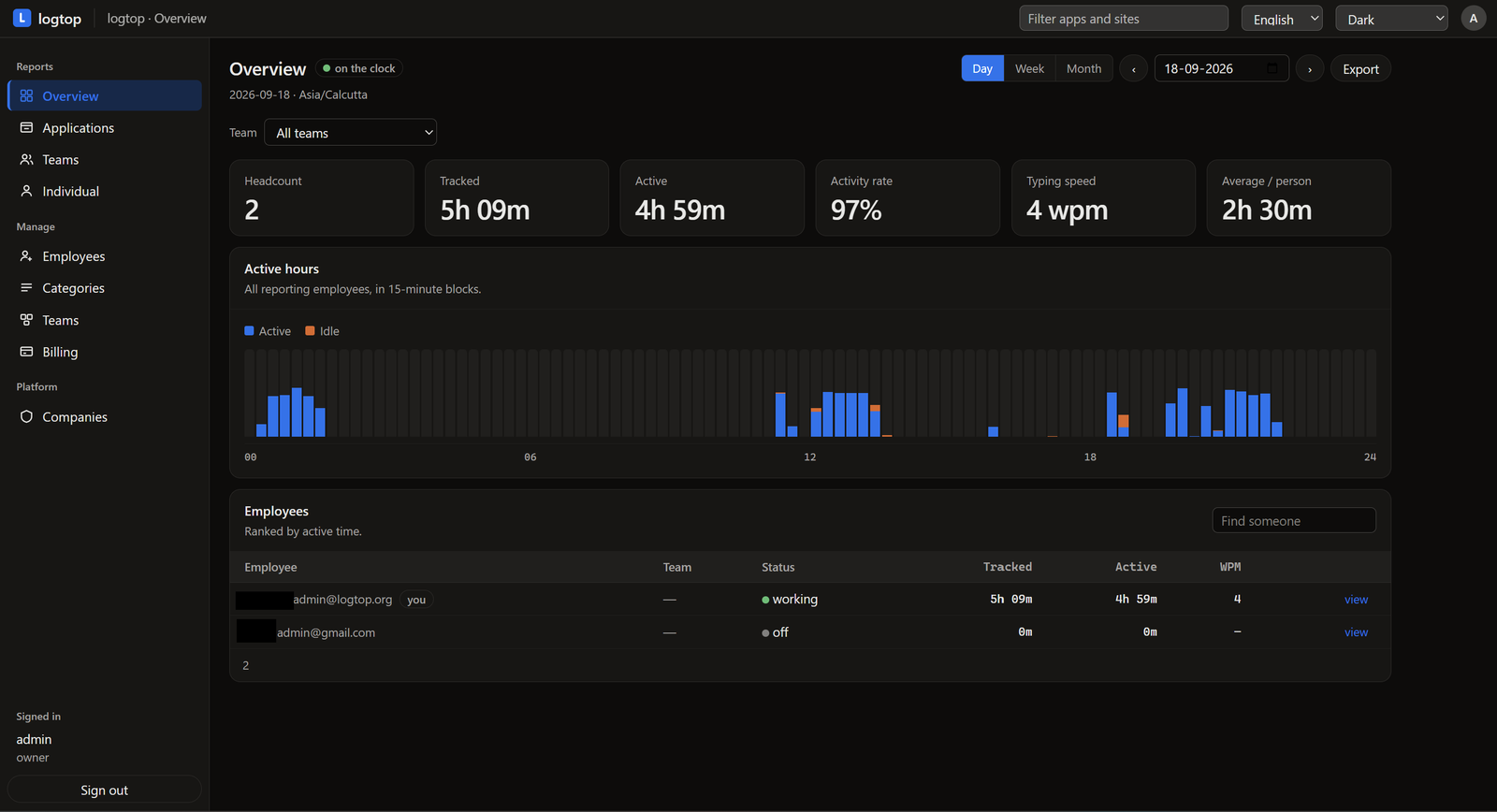
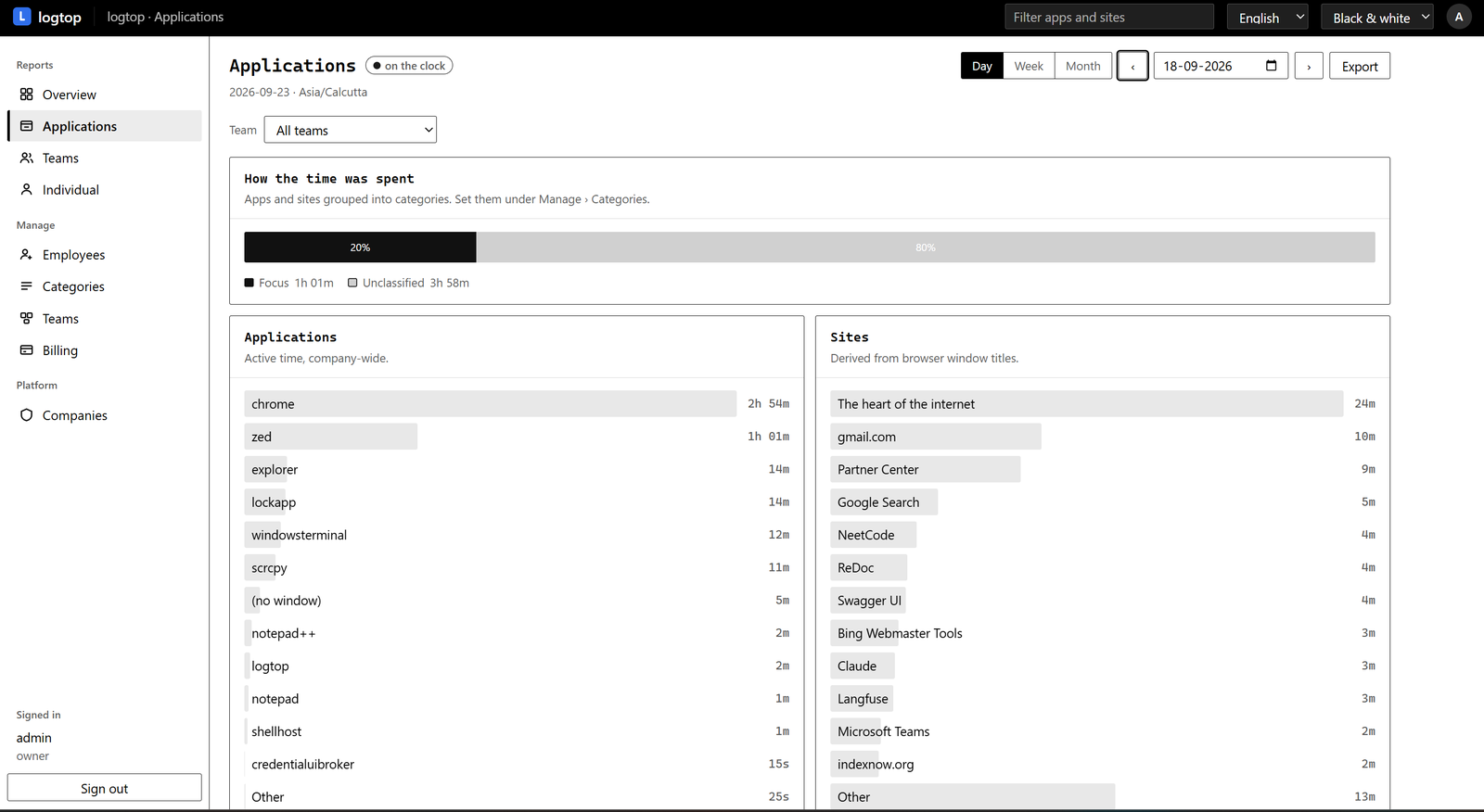
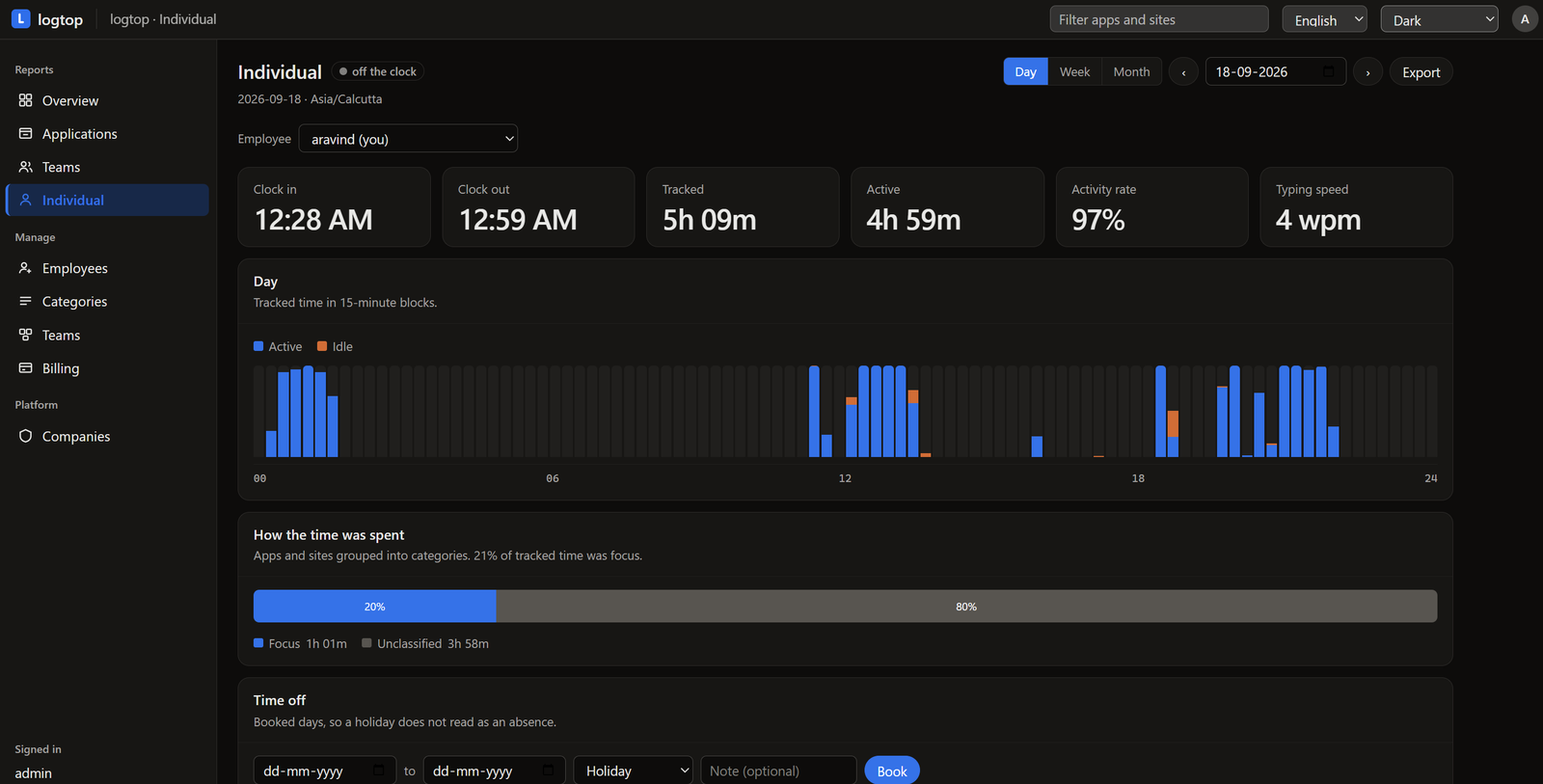
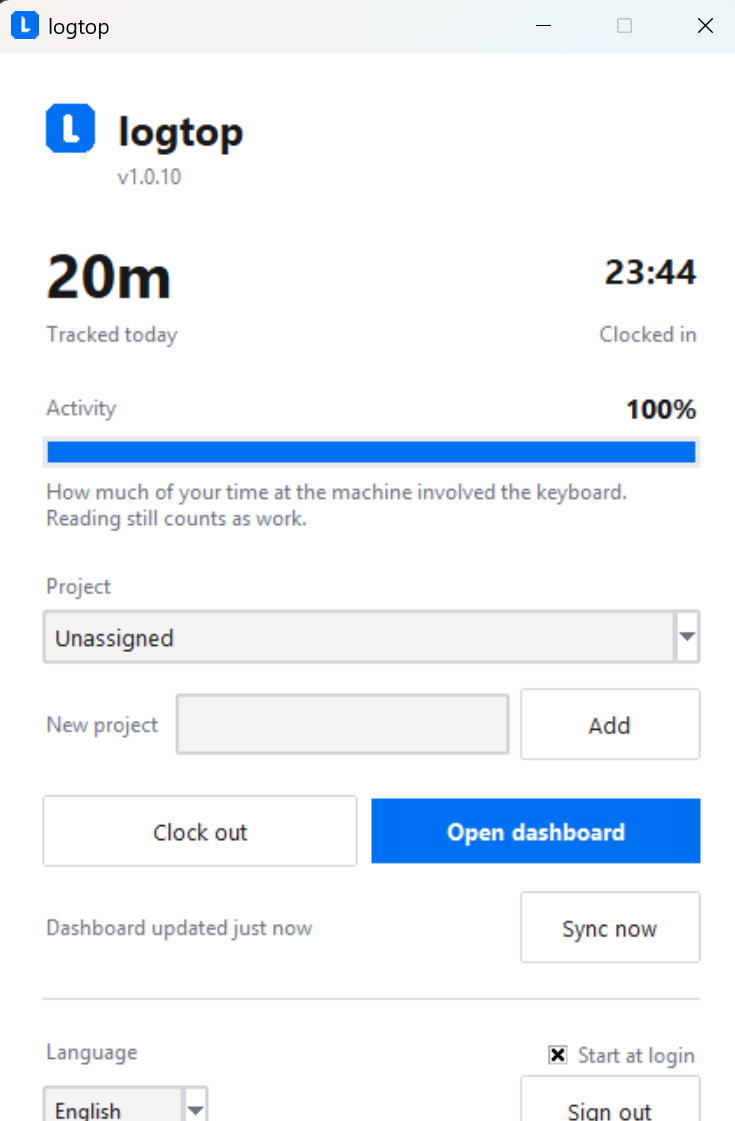
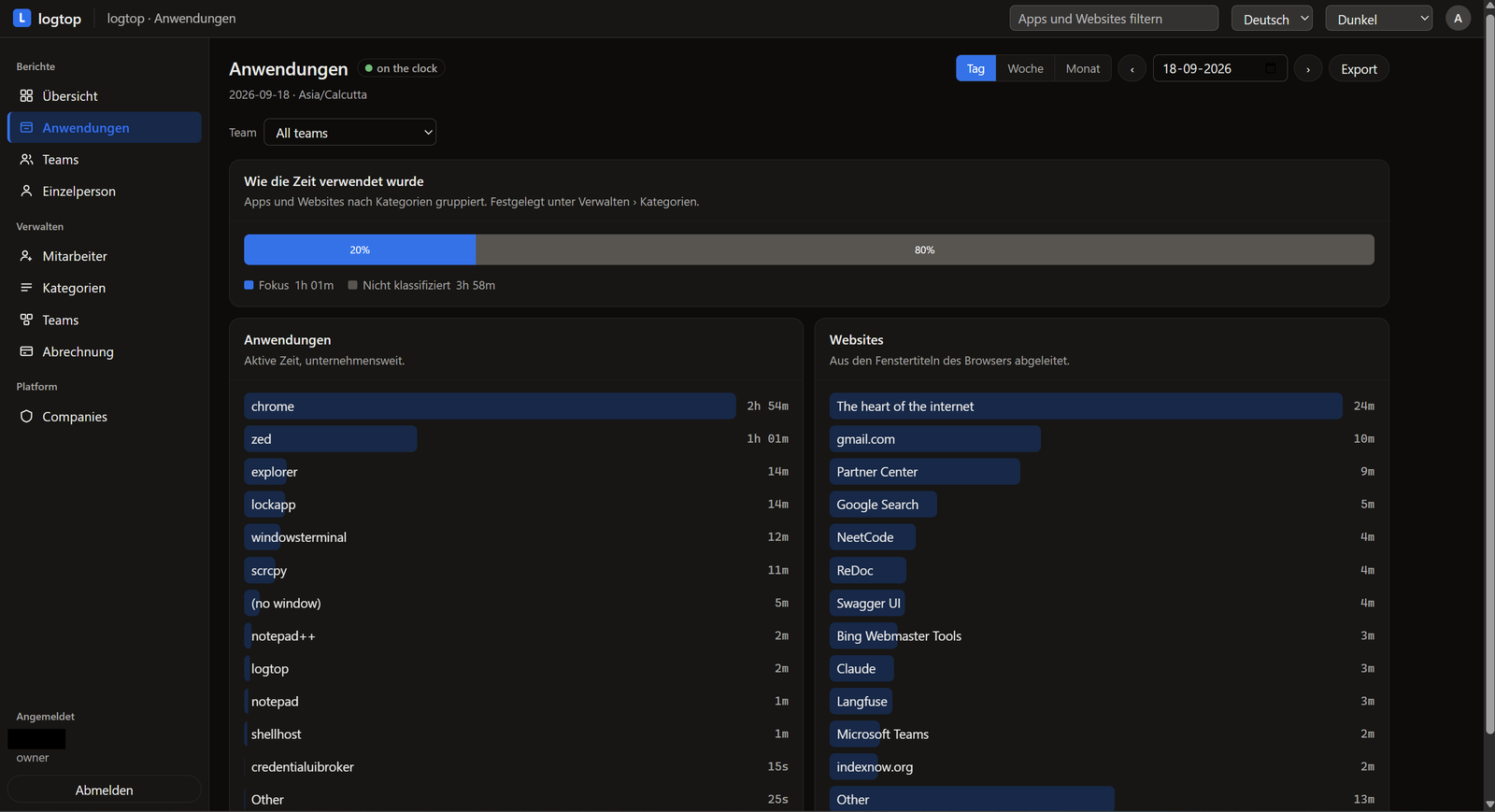
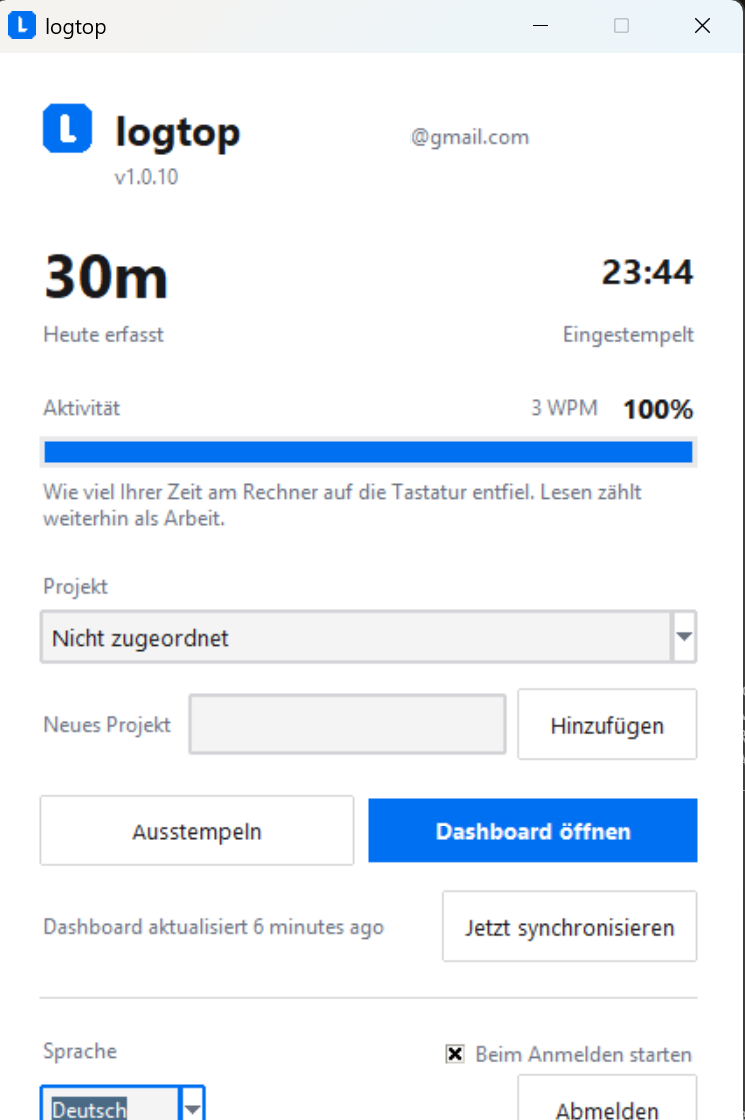
The detail stays on the laptop it came from.
Sensitive activity stays on the employee's computer. The desktop app rolls the day up locally and uploads only the totals a manager actually needs.
Stays on the machine
- Window titles never sent
- Full web addresses and page titles never sent
- Screenshots never taken
- Keystrokes counted, never recorded
Syncs to logtop
- “4h 20m in Figma” sent
- “52m on github.com”, the domain only sent
- Per day and per project totals sent
- Clock in and clock out times sent
Employees and managers see the same data.
There is no secret version of an employee's activity that management can open and they can't. It changes the question from “what are they tracking about me?” to “we both see the same numbers.”
What a manager gets
The day in 15 minute blocks, split by app, site and project. Teams, leave and billable rates. A CSV that goes straight into an invoice. Everything needed to run a team, and nothing that reads like a confession.
What an employee gets
The same dashboard, pointed at themselves. The identical charts their manager sees, on the same page, from the same numbers. No second, quieter view that only one side is allowed to open.
The two things every employee asks about.
A tracker earns its place by answering these well, not by pretending nobody asks. Both are in the product, not on a roadmap.
- MEASURED BY THE LAPTOP
- BREAK · said, not guessed
- CLIENT SITE · added by hand
shown apart, never added into the measured hours
“What about lunch?”
Take a break, and the clock keeps running while the counting stops. The timesheet says lunch instead of showing a two-hour hole somebody else gets to interpret.
“I was on a client site all morning.”
Add the time by hand. It lands on the day it was worked, with a note and a project, and it is shown apart from the measured hours, never added into them.
Accountability without the surveillance.
Bossware is built around capture. logtop measures work-time instead, and costs a fraction of what the capture buys.
- Screenshots NeverOften
- Screen recording NeverOften
- Keystroke contents NeverSome
- Window titles uploaded NeverOften
Per user, per month
- Veriato ~$18
- Teramind ~$15
- ActivTrak ~$10
- Insightful ~$8
- Time Doctor ~$6.70
- Hubstaff ~$5
- logtop $2–$2.50
Published starting prices, before plan and contract. The point is the order of magnitude.
The tracker runs on the machine, not in a tab.
The desktop app does the tracking and the rolling up. The dashboard is a web page and needs nothing installed, so an administrator can work entirely from the browser.
Windows
Windows 10 or later. Runs in the notification area, adds a desktop and Start menu shortcut, and starts with you if you let it. It installs for you alone, so it does not ask for an administrator.

Linux
Ubuntu and Debian, on X11 or on GNOME with Wayland. Ships as a systemd user service and a .desktop entry. On Wayland a small GNOME Shell extension tells it which window is in front, and it switches on at the next sign-in.
Install it with
sudo apt install ./logtop-linux.deb
macOS
Apple silicon, macOS 11 or later. Lives in the menu bar and has no Dock icon. macOS asks once for permission to read window titles; without it the timesheet still records which app you were in.
Not signed by Apple yet, so the first launch has to be right-click the app, then Open. Double-clicking it reports that the app is damaged, which it is not.
Free for two weeks, then per person.
Every feature is in both tiers. The only thing that changes with size is the price per head, and it goes down. No call required to learn it.
These are list prices. What you are charged is adjusted for the country you are billed in, up or down, and the exact figure is shown before you enter any payment details. It is not a discount code and there is nothing to apply for.
Team
$2.50 per person, per month
Under 20 people
- Tracking, dashboard, categories
- Teams and leave
- Billable rates and invoices
- Retention controls and data export
Scale
$2.00 per person, per month
20 people or more
- Everything in Team
- The same features, a lower rate per head
- Applies automatically as you grow
The ones worth asking first.
Does logtop take screenshots?
No, and not as a setting. There is no screen capture code in the product at all. The tracker reads the name of the window in front of you and how long it was there.
Can my manager read my window titles?
No. Titles are used on your own machine to roll the day up, then stay there. The database logtop runs in the cloud has no column for them, so there is nothing for an administrator to open.
Does logtop record keystrokes?
No keystroke contents, ever. Keyboard activity is used two ways: how
long since the last input, to separate active time from idle, and a
count of key presses, to show a typing speed. The code adds one to a
number; it never records which key. If you type
customer_password=123456, logtop knows the keyboard was
used and nothing more. That is activity measurement, not keylogging.
Can my manager read what I type?
No. There is no capture of message contents, passwords, or anything you type. logtop does not need it to show where the day went, and the code that would collect it does not exist.
What happens when a laptop is offline?
Tracking carries on into the machine's own database. Days that are owed queue up and upload when the connection returns, so being offline costs time and nothing else.
How does someone get an account?
An administrator creates it and generates a password, which is emailed to the person. There is no employee facing signup anywhere, which is what stops a stranger appearing in a company's headcount.
Which machines does the desktop app run on?
Windows, Linux and macOS on Apple silicon. The tracker is written against each platform directly rather than through a framework, which is why the download is small. The Mac app is not signed by Apple yet, so the first launch is a right-click and Open.